Colloid Mill Overheating During Peanut Butter Production: A Field Engineer’s Complete Troubleshooting Guide
Colloid mill overheating is the single most common production failure we see at peanut butter plants, and it almost always shows up during peak summer runs or when an operator pushes throughput beyond the rated capacity of the machine. If you are running a PPG-001 commercial peanut butter grinder — or any colloid mill in the 3,000–5,000 kg/h range built on a similar rotor-stator architecture — chamber temperatures above 85 °C will burn the peanut oils, denature the proteins in the paste, destroy the emulsion, and leave you with a dark, bitter, separated product that no amount of added stabilizer can rescue. The good news is that in roughly 90 percent of the service calls we log, the root cause is one of five mechanical or process variables that can be diagnosed with a clamp-on infrared thermometer, a feeler gauge, and a 20-minute production halt. This guide walks you through every one of those root causes with the exact numbers we use in the field, the diagnostic sequence our technicians follow, and the corrective action for each. We wrote it specifically for the PPG-001 chamber, but the same logic applies to the smaller PPG-002 bench-top unit and the larger PPG-003 high-capacity line.
Symptoms Checklist: How to Confirm Overheating Before You Start Diagnosing
Before you tear the mill apart, confirm that what you are seeing is actually a thermal problem and not a motor fault or a bad batch of peanuts. Run through this checklist in order. If you can tick five or more of the seven items below, the rest of this article applies directly to your situation. If you tick fewer than five, the issue is more likely upstream — check your roasting temperature and your de-skining line before returning to the colloid mill.
- Discharge paste temperature reads above 85 °C on the infrared thermometer when measured at the outlet flange within 30 seconds of the mill shutting down.
- Burning smell — a sharp, acrid nutty odor similar to scorched cooking oil — coming from the discharge pipe or the recirculation loop.
- Final peanut butter color drifts darker than the control sample, shifting from a warm caramel brown (Pantone 7510 C or lighter) toward a dark mahogany, often uneven within the same batch.
- Oil separation visible in the storage tank within 4 hours of grinding, with a clear yellow layer pooling on top of the paste — a sign the emulsion has broken.
- Motor amperage spikes 15–25 percent above the rated nameplate current on the control panel ammeter during the grinding pass, with no change in feed rate.
- Cooling water outlet temperature exceeds 45 °C at the jacket drain, or the flow rate gauge reads below 8 L/min.
- Grinding noise becomes higher-pitched or metallic, often described by operators as a “whine” that was not present during the first weeks of operation.
Root Cause 1: Feed Rate Below the 3,000 kg/h Minimum — The Single Biggest Culprit
This is the cause in roughly four out of every ten overheating calls we handle, and it is also the easiest to fix. The PPG-001 colloid mill is designed to grind between 3,000 and 5,000 kg of peanut paste per hour. The rotor in the grinding chamber spins at 2,970 rpm. When feed rate drops below the 3,000 kg/h floor, the peanut paste — which is the only thing absorbing the kinetic energy the rotor dumps into the chamber — is no longer present in sufficient volume to carry that heat away. Every kilogram of paste that does pass through the gap ends up absorbing two to three times the designed heat load, and within 8 to 12 minutes of operation the discharge temperature will climb past 90 °C.
How to diagnose: Read the mass-flow meter on the feed inlet, or, if the line is not instrumented, weigh a 60-second catch from the feed pump on a platform scale and multiply by 60. Anything below 3,000 kg/h on a PPG-001 is your problem.
How to fix: Open the variable-frequency drive on the feed pump and increase the speed in 50-rpm increments until the flow rate lands between 3,200 and 3,500 kg/h — this is the sweet spot we recommend for stable thermal operation. Check the peanut feed hopper at the same time: if the level is below 30 percent, the pump may be cavitating and pulling in air, which mimics a low-flow condition. Never run the colloid mill dry, even for 30 seconds, because the rotor-stator gap on the PPG-001 is set to 0.05 mm and a dry spin will scorch the residual paste in the gap and carbonize it onto the stator.
Root Cause 2: Rotor-Stator Gap Set Too Tight — When “Finer” Becomes “Hotter”
The adjustable gap between the rotor and the stator is the heart of the colloid mill, and it is the second most common cause of overheating we see. The PPG-001 ships from the factory with the gap set to 0.05 mm, which produces a particle size of roughly 20–30 microns — the standard for smooth commercial peanut butter. Some operators, trying to produce a “super creamy” or premium product, tighten the gap down to 0.02 mm or even 0.01 mm. This does produce a finer paste, but it also increases the residence time of the peanut butter in the shear zone, increases the mechanical energy converted to heat per kilogram of product, and — critically — leaves almost no clearance for the paste to flow. The result is a chamber that runs 12 to 18 °C hotter than the rated operating temperature even at the correct feed rate.
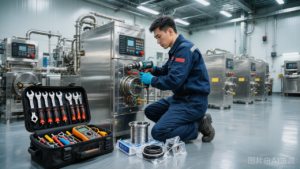
How to diagnose: Shut down and lock out the motor. Open the cleaning access port on the stator housing. Insert a 0.05 mm feeler gauge between the rotor and stator at the 12 o’clock, 3 o’clock, 6 o’clock, and 9 o’clock positions. If the gauge will not pass at any position, the gap is too tight. If the gauge passes freely at all four positions, retract the rotor by 0.01 mm increments using the micrometer adjustment ring until you can feel a light drag on the gauge at every position.
How to fix: For standard smooth peanut butter, reset the gap to 0.05 mm. For chunky or natural peanut butter — where the goal is mouthfeel, not maximum fineness — 0.08 mm is acceptable and will reduce the operating temperature by another 5 to 7 °C. Do not go below 0.03 mm under any circumstances on the PPG-001; at that clearance the thermal expansion of the rotor during operation can close the gap entirely and cause metal-to-metal contact, which will destroy the stator within a single shift.
Root Cause 3: Cooling Water Flow Restricted or Inadequately Chilled
The PPG-001 grinding chamber is jacketed with a cooling water channel designed to remove approximately 18 kW of heat at full load. The factory specification calls for chilled water at 12–15 °C entering the jacket, with a flow rate between 8 and 12 L/min, and a return temperature no higher than 35 °C. When any of those three numbers drift out of spec, the cooling capacity collapses and the chamber temperature climbs. This is the cause in about two out of every ten overheating calls, and it is the one most often missed by maintenance teams because the cooling system “looks fine” — the pump is running, the pipes are cold, and the chiller panel shows a set point of 12 °C.
How to diagnose: Walk the cooling loop in order. Touch the inlet pipe to the chamber jacket — it should feel noticeably cold to the bare hand, around 12–15 °C. Touch the outlet pipe — it should be warm but not hot, between 25 and 35 °C. If the outlet reads above 45 °C on the infrared thermometer, your flow rate is too low or the chiller is undersized. If both pipes are cold, your flow rate is fine but the chiller compressor may be short-cycling. Check the rotameter or flow indicator on the inlet line: anything below 8 L/min on a PPG-001 is insufficient.
How to fix: First, clean the Y-strainer on the cooling water inlet — peanut oil film and mineral scale build up here over months of operation and restrict flow by 30 to 60 percent without tripping any alarms. If flow is still below 8 L/min after cleaning, increase the cooling pump speed or open the bypass valve. Second, verify the chilled water supply temperature with a calibrated probe thermometer at the inlet to the jacket — do not trust the chiller panel readout, which measures tank temperature, not supply temperature. If supply temperature is above 15 °C, drop the chiller set point to 10 °C. In summer, when ambient plant temperatures push 35 °C, you may need to drop it further to 8 °C to maintain the same chamber temperature.
Root Cause 4: Peanut Feed Temperature Too High — The Roaster Is Sending You Pre-Heated Stock
The colloid mill is designed to absorb a fixed amount of heat from the grinding process — not to absorb heat that was already in the peanuts when they arrived at the feed hopper. The PPG-001 is rated for a feed temperature of 40–55 °C. Above 60 °C, the mill simply cannot remove enough additional heat through the cooling jacket, and the discharge temperature will exceed 85 °C no matter how well everything else is set. This is common in plants where the roaster and the grinder are on the same line and the peanuts are conveyed hot from roasting to grinding without a cooling or tempering step in between.
How to diagnose: Measure the temperature of the peanut feedstock at the hopper inlet using a probe thermometer inserted 10 cm into the peanut mass. Readings above 60 °C confirm the issue. Readings below 40 °C mean the peanuts are too cold and the oils will be too viscous — increase feed temperature, not decrease it.
How to fix: Install a cooling conveyor or a forced-air cooling tunnel between the roaster and the colloid mill, sized to bring the peanuts from 110 °C (typical roaster discharge) down to 45–50 °C before they reach the feed hopper. If that is not practical in the short term, reduce the colloid mill feed rate to 2,500 kg/h to give the cooling jacket more residence time per kilogram of product to remove heat — yes, this contradicts Root Cause 1, but when feed temperature is the overriding problem, slowing the feed is the lesser of two evils. The permanent fix is always a cooling step upstream of the mill.
Root Cause 5: Worn Rotor or Stator — The Hidden Cause in Older Machines
If your PPG-001 has more than 4,000 operating hours on it and the overheating has developed gradually over weeks or months rather than appearing suddenly, the rotor and stator are likely worn. The hardened stainless steel grinding surfaces do wear — peanut butter is mildly abrasive due to residual skin fragments and fine silica from the roasting sand — and as the cutting grooves in the rotor and stator round over, two things happen. First, the grinding efficiency drops, so the operator typically tightens the gap to compensate, which then causes overheating (see Root Cause 2). Second, the worn grooves reduce the pumping action that moves paste through the chamber, which reduces effective feed rate (see Root Cause 1). Both paths end at the same place: an overheating mill with no obvious single cause.
How to diagnose: Shut down, lock out, and drain the chamber. Remove the stator and inspect the cutting grooves under bright light. Compare the cutting edge profile to a new spare stator — if the edge radius has worn from a sharp 0.1 mm to a rounded 0.4 mm or more, the stator is spent. Check the rotor the same way. Also measure the rotor diameter with a caliper at three points along its length; if the diameter has decreased by more than 0.3 mm from the factory dimension, the rotor needs replacement.
How to fix: Replace the worn components. On the PPG-001, a stator replacement is a 4-hour job for a competent technician and the part is roughly 12 percent of the cost of a new mill. A rotor replacement is a full-day job and should be done together with the front bearing. Do not attempt to “re-sharpen” the grooves with a grinder or file — the surface hardening is only 0.3 mm deep, and hand-grinding will remove the hardened layer and the new edge will wear out in 200 hours instead of 4,000.
Root Cause 6: Motor Bearing Failure or Misalignment — When the Heat Comes From the Drive End
Not all chamber heat comes from the grinding process. A failing motor bearing, a misaligned coupling between the motor and the rotor shaft, or a worn mechanical seal can dump significant heat into the rotor shaft, which then conducts directly into the grinding chamber. On the PPG-001, the rotor shaft is a continuous 40 mm stainless steel bar that runs from the motor coupling through the mechanical seal to the rotor — heat introduced anywhere on that shaft will arrive at the chamber within minutes.
How to diagnose: With the mill running, take infrared temperature readings at five points along the drive train: motor housing near the drive-end bearing, the coupling guard, the mechanical seal housing, the front bearing housing, and the chamber itself. If the temperature gradient runs from hot at the motor to cooler at the chamber, the heat source is at the drive end. A good running bearing on a PPG-001 should read below 55 °C; anything above 70 °C indicates a failing bearing.
How to fix: Replace the failing bearing immediately — a bearing running at 70 °C will seize within days and may take the rotor and stator with it when it fails. Check the coupling alignment with a dial indicator; the PPG-001 spec calls for angular misalignment below 0.05 mm and parallel misalignment below 0.02 mm. Re-shim the motor feet as needed. If the mechanical seal housing is the hot point, the seal faces are likely worn and should be replaced — a job we recommend doing every 2,500 operating hours as preventive maintenance regardless of condition.
Operating Temperature Reference Table for the PPG-001 Colloid Mill
Use this table as a quick reference for the critical temperature thresholds on the PPG-001. All temperatures are measured with the mill running at the specified operating point, after a 20-minute warm-up at stable feed rate. Print this and tape it to the wall next to the control panel.
| Measurement Point | Normal Range | Warning Zone — Investigate | Critical — Shut Down Immediately | Action if Critical |
|---|---|---|---|---|
| Discharge paste temperature | 65–75 °C | 76–84 °C | Above 85 °C | Reduce feed, increase cooling, dump batch |
| Peanut feedstock at hopper | 40–55 °C | 56–62 °C | Above 65 °C | Stop feed, install cooling conveyor |
| Cooling water inlet (jacket) | 12–15 °C | 16–20 °C | Above 20 °C | Drop chiller set point, clean Y-strainer |
| Cooling water outlet (jacket) | 25–35 °C | 36–44 °C | Above 45 °C | Increase flow rate to 12 L/min minimum |
| Motor drive-end bearing | 45–55 °C | 56–69 °C | Above 70 °C | Replace bearing before next run |
| Mechanical seal housing | 50–60 °C | 61–74 °C | Above 75 °C | Replace seal faces, check lubrication |
| Motor amperage (full load) | 32–38 A | 39–43 A | Above 44 A | Reduce gap or feed; check for blockage |
| Rotor-stator gap (cold) | 0.04–0.06 mm | 0.02–0.03 mm | Below 0.02 mm | Open gap immediately, replace if contacted |
Frequently Asked Questions From the Production Floor
These are the questions our service engineers hear most often from operators and plant managers running the PPG-001 colloid mill. The answers reflect what we have seen work in the field, not just what the manual says.
- How long can I safely run a PPG-001 continuously before it overheats? With feed rate at 3,500 kg/h, gap at 0.05 mm, cooling water at 12 °C and 10 L/min, and feedstock at 50 °C, a PPG-001 can run continuously for 8 to 10 hours while holding discharge temperature below 78 °C. Beyond 10 hours, the cumulative heat load in the rotor shaft will begin to creep up and we recommend a 30-minute cool-down with the feed pump off and the cooling water running. Never plan continuous runs longer than 12 hours without a cool-down break.
- Can I use a thinner gap to make extra-creamy peanut butter without overheating? Yes, but only if you compensate on the other variables. Drop the feed rate to 2,800 kg/h, drop the feedstock temperature to 42 °C, drop the cooling water temperature to 8 °C, and run the mill for no more than 6 hours. Set the gap to 0.03 mm — not tighter. This combination will hold discharge temperature at 80–82 °C and produce a 15-micron paste. Going below 0.03 mm on the PPG-001 will overheat no matter what else you do.
- Why does my mill only overheat in the afternoon but runs fine in the morning? Almost always this is ambient plant temperature. If your chiller is sized for a 25 °C plant and the building hits 38 °C at 2 p.m., the chiller cannot hold 12 °C supply water — it will be delivering 18–20 °C water and the cooling capacity drops by 35 percent. Either upsize the chiller, insulate the chilled water supply piping, or shift the heaviest grinding to the morning shift during summer.
- Is it normal for the discharge temperature to spike for the first 30 seconds of a run? Yes. A brief 5–8 °C spike at start-up is normal and is caused by the paste in the chamber absorbing the heat from the warm rotor before steady-state flow is established. The temperature should settle within 60 seconds. If it does not settle, your feed rate is too low or the chamber was not pre-cooled with chilled water for at least 3 minutes before start-up.
- The cooling water flow gauge reads fine but the outlet pipe is still hot — what is going on? The flow indicator is reading correctly, but the inside of the cooling jacket is scaled up. Dissolved minerals in the cooling water plate out onto the jacket walls over months of operation, forming an insulating layer that reduces heat transfer even when flow rate is correct. Flush the jacket with a 5 percent citric acid solution for 30 minutes every 6 months to remove the scale. If your cooling water hardness is above 150 ppm, do this every 3 months.
- Can I switch from peanut butter to sesame tahini on the same PPG-001 without changing anything? You can, but tahini grinds hotter because sesame has a higher oil content (around 50 percent versus peanut’s 45–50 percent) and a lower specific heat. Drop the feed rate to 2,500 kg/h and widen the gap to 0.06 mm for tahini. Expect a discharge temperature around 80 °C, which is fine for sesame but would be too hot for the more heat-sensitive peanut emulsion.
Need a Field Engineer on the Line?
If you have worked through every root cause in this guide and your PPG-001 is still running above 85 °C at the discharge, do not keep pushing the machine — every minute above that temperature is costing you product quality and wearing the grinding surfaces faster than normal. Shut the mill down, keep the cooling water running for 20 minutes to bring the chamber back to ambient, and get a field engineer on the phone. We can usually diagnose the remaining causes — electrical faults, control system calibration, or process-design problems elsewhere in your line — within an hour of receiving your temperature logs and a few photos of the chamber. Email [email protected] with your mill serial number, the operating hours since last service, and the discharge temperature you are seeing. Our engineering team will get back to you within one business day with a diagnosis and a parts list or a site visit quote. Do not run the mill hot — burnt peanut butter is unsalvageable, and a ruined stator costs ten times what a service call does.