Why Is My Meat Mincer Overheating? 7 Causes and Fixes
Meat mincer overheating is one of the most common — and most damaging — problems in commercial and industrial meat processing. When the motor housing on your MMC-001 industrial meat mincer becomes too hot to touch, smells like burning varnish, or trips the thermal overload protector mid-shift, it is telling you that something in the cutting chain is no longer working as designed. Left unchecked, overheating will shorten motor life, denature the protein in your ground product, and eventually burn out the stator windings — a repair that often costs more than half the price of a new machine.
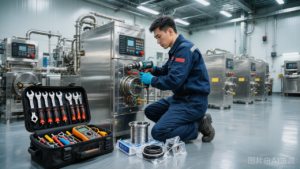
This troubleshooting guide walks quality assurance managers, maintenance engineers, and plant operators through the seven root causes of meat mincer overheating we see most often across Esper Foodtech installations. Each section explains the failure mechanism, the diagnostic steps to confirm it, and the corrective action that will bring the machine back into thermal specification. Most fixes take less than 30 minutes; only motor rewind or replacement requires a service technician.
- Dull or chipped blades are the single largest contributor to overheating and should be sharpened or replaced every 40–80 production hours.
- Using a plate with a hole diameter smaller than the machine is rated for increases cutting torque and pushes the motor into overload.
- Frozen or partially frozen input forces the auger to shear instead of convey, multiplying current draw by 2–3 times.
- Blocked ventilation, low voltage, and worn bushings are mechanical and electrical causes that are easy to overlook during cleaning.
- Every overheating symptom has a matching diagnostic test you can perform with a clamp meter, thermometer, and visual inspection.
1. Dull or Chipped Cutting Blades
The cross-cutting blade in a MMC-001 meat mincer rotates against the stationary hole plate at roughly 200–250 rpm. When both surfaces are sharp, the blade shears meat fibers cleanly with very little resistance. When the blade edge rounds over — typically after 40 to 80 hours of grinding, depending on product fat content and bone contamination — the blade stops cutting and starts crushing. Crushing generates friction, and friction is converted directly into heat at the cutting head, which then conducts back through the auger shaft into the motor housing.
Dull blades are responsible for roughly 40 percent of the overheating cases our service team diagnoses. The good news is that this is also the cheapest fault to fix.
How to diagnose
- Stop the machine and disconnect power. Remove the ring nut, separator, feed screw, blade, and plate.
- Run your thumb lightly across the cutting edge of the cross-cutting blade (perpendicular to the edge, not along it). A sharp blade will catch your fingerprint; a dull blade will feel smooth like a butter knife.
- Hold the blade under bright light and look for chips along the edge, especially near the center hub where bone fragments commonly strike.
- Check the mating surface of the hole plate for deep circular grooves — these indicate the blade has been riding on uneven metal and will not seat flat even after sharpening.
How to fix
Replace the blade with a new Esper Foodtech cross-cutting blade rated for your MMC-001 head assembly. If you operate a multi-shift plant, keep at least two sharp blades in rotation and send the dull unit to a professional knife sharpening service that uses a wet belt grinder — dry grinding will overheat the edge and destroy the temper. Always replace the blade and plate as a matched set; installing a new blade against a grooved plate will dull the new edge within hours.
2. Wrong Plate Size or Worn Plate Holes
The hole plate is what determines final particle size and, importantly, how much resistance the feed screw must overcome. Every meat mincer is rated for a specific plate range. The MMC-001 ships with a 6 mm (¼ inch) plate as standard and is rated down to 3 mm for fine emulsions; going below 3 mm on a head designed for 6 mm work increases torque demand dramatically because each hole presents a smaller shear area for the same volume of product.
Worn plates cause a different but related problem. As the plate ages, the holes become bell-mouthed (wider at the cutting face than at the discharge side). The blade can no longer shear cleanly, product smears instead of cuts, and the motor works harder to push the same throughput.
How to diagnose
- Read the size stamp on the plate rim. Compare it to the rated minimum for your head assembly in the operator manual.
- Use a caliper to measure three or four hole diameters on the cutting face and the discharge face. If the cutting face measures 0.2 mm larger than the discharge face, the plate is bell-mouthed and must be replaced.
- Run the machine unloaded with the plate installed and listen for a smooth, even whine. A plate that is too fine will cause the motor pitch to rise even with no product in the hopper.
How to fix
Switch back to the OEM-recommended plate size for your product mix. If you genuinely need a finer grind for sausage emulsion or pet food, run a two-stage grind: first pass through a 6 mm plate, second pass through the 3 mm plate. The first stage does the mechanical work; the second stage only refines, which keeps motor current within nameplate rating.
3. Frozen or Partially Frozen Input Meat
Feeding frozen blocks, crust-frozen trim, or meat with ice crystals into a mincer is the fastest way to push motor temperature into the red zone. A MMC-001 is designed to process tempered meat between −2 °C and +4 °C — firm enough to cut cleanly, soft enough to flow through the auger. Below −8 °C, the meat is essentially a solid block. The feed screw cannot convey it; instead, the leading edge of the flights gouges chips off the block, the cutting head receives an uneven stream of shards, and the motor pulls 200–300 percent of rated current for as long as the block is in the hopper.
This fault often masquerades as a machine problem because the overload may not trip until 10–15 minutes after the frozen meat is loaded — by which point the operator has moved on to another task.
How to diagnose
- Probe the meat temperature at the core of the block with a puncture thermometer before loading. Anything below −4 °C is suspect.
- Watch the auger through the hopper opening. Frozen meat will ride the flights without advancing; properly tempered meat will feed steadily toward the cutting head.
- Clamp a meter around one motor lead and watch amperage while loading. A jump above nameplate FLA (full load amps) confirms the input is too hard.
How to fix
Temper the meat in a controlled thaw room or use a microwave tempering tunnel to bring the block core to −2 °C before grinding. If you must process frozen blocks, fit your MMC-001 with a frozen meat cutting head upgrade (larger auger pitch, heavier blade, stronger gear set) — contact Esper Foodtech engineering for the retrofit kit. Never try to break up a frozen block by forcing it through a standard head; you will burn out the motor and void the warranty.
4. Motor Overload from Continuous Operation
Every electric motor has a duty cycle — the percentage of time it can run under load without overheating. Most commercial meat mincers are rated S1 (continuous duty), but that rating assumes the motor is operating within nameplate amperage. In real plants, several factors combine to push the motor past its design load: longer than expected production runs, ambient temperature above 35 °C, feed rate faster than the head can clear, or partial blockages at the knife.
The thermal overload protector inside the motor is the last line of defense. If it trips, do not simply reset it and continue running — the trip is a signal that one of the other root causes in this article is at work.
How to diagnose
Clamp a meter around the motor feed and record running amperage under normal load. Compare to the FLA printed on the nameplate of your MMC-001. Anything above nameplate indicates overload. The table below maps amperage readings to corrective action:
| Measured Amps (vs FLA) | Thermal Status | Recommended Action |
|---|---|---|
| 80–100% of FLA | Normal operating temperature | Continue production, log baseline |
| 100–115% of FLA | Warm housing, no smell | Reduce feed rate, inspect blade |
| 115–130% of FLA | Hot housing, slight varnish smell | Stop immediately, check plate and input temperature |
| Above 130% of FLA | Overload trip imminent | Shut down, full diagnostic before restart |
5. Blocked or Restricted Motor Ventilation
Electric motors are cooled by air pulled through the end bell by an internal fan. In a meat processing environment, that air is loaded with fat aerosols, protein mist, and water vapor. Over weeks of operation, the intake screens and internal ducting of the MMC-001 motor can become clogged with a sticky layer of grease-laden dust that insulates the stator windings exactly like a winter coat. The motor cannot shed heat, and even normal operating loads produce climbing temperatures.
This is the most preventable cause of overheating on this list — and the one most often skipped during end-of-shift cleaning.
How to diagnose
- With the machine running, hold a tissue near the motor exhaust port. A healthy motor will pull the tissue firmly against the screen; a blocked motor will produce little or no airflow.
- Shine a flashlight into the intake louvers at the back of the motor. If you cannot see bare copper windings or clean aluminum fins behind the screen, the ducting is blocked.
- Touch the motor housing after 15 minutes of unloaded running. If it is uncomfortably hot to the touch with no product in the hopper, ventilation is the prime suspect.
How to fix
Remove the motor end cover and use a food-grade degreaser to clean the fan blades, intake screen, and exhaust louvers. Blow out the winding fins with compressed air at 40 psi or lower — higher pressures can damage the insulation on the stator wires. Reinstall the cover, run unloaded for 10 minutes, and confirm that the exhaust airflow has returned and housing temperature is back to baseline. Schedule ventilation cleaning as a weekly preventive maintenance task on every MMC-001 in your plant.
6. Low Supply Voltage or Voltage Drop
Electric motors are constant-power devices. If the supply voltage drops, the motor draws more current to deliver the same mechanical output — and current, not voltage, is what heats the windings. A MMC-001 rated for 400V three-phase will run noticeably hotter at 360V, and at 340V it will approach overload even under normal load. Voltage drop happens most often on long cable runs, on circuits shared with other heavy equipment, or when the supply transformer is undersized for the plant load.
How to diagnose
- Measure voltage at the motor terminals with the machine running under load, not at the distribution board. A voltage reading taken at the panel can be perfectly normal while the motor sees a much lower voltage due to cable drop.
- Compare the loaded voltage to the unloaded voltage. A drop of more than 5 percent between no-load and full-load indicates the supply circuit is too small for the machine.
- Check whether the machine runs cooler at the start of a shift when other equipment is off. If so, voltage drop from shared circuits is likely.
How to fix
Have a licensed electrician upgrade the supply circuit. Options include running a dedicated feeder direct from the distribution board, increasing the cable cross-section to reduce resistance, or installing a step-up autotransformer at the machine location. Never try to compensate for low voltage by changing motor pulleys or gears to reduce load — the MMC-001 gear ratio is engineered for a specific auger speed and altering it will affect grind quality and product temperature.
7. Worn Auger Bushings and Bearings
The auger shaft in a meat mincer rides on two bearings: a thrust bearing at the cutting head that takes the forward push load, and a bushing at the rear of the head where the shaft enters the gear case. Over thousands of hours of operation, both wear. As the thrust bearing wears, the gap between the blade and the plate widens, the blade stops cutting cleanly, and the motor compensates by pulling more current — the same failure pattern as a dull blade, but originating in a different component. As the rear bushing wears, the shaft develops radial play, the feed screw rubs against the head housing, and the resulting friction is conducted straight back into the motor.
How to diagnose
- Disconnect power and grasp the auger shaft at the cutting head. Pull it forward and push it back. Any movement greater than 0.5 mm indicates a worn thrust bearing.
- Lift the shaft up and down. Radial movement greater than 0.3 mm indicates a worn rear bushing.
- Spin the shaft by hand with the cutting head removed. A healthy shaft turns freely with no grittiness; a worn bearing will feel rough or notchy.
How to fix
Order the thrust bearing and rear bushing service kit for the MMC-001 from Esper Foodcraft parts. Both components are designed as wearable items and can be replaced by a competent maintenance technician in about an hour using standard hand tools. After replacement, recheck blade-to-plate clearance per the service manual — it should be 0.05 mm or less, just enough to allow an oil film but tight enough that the blade shears rather than crushes.
Pro tip from Esper Foodtech service engineers: the first sign of every serious mincer failure is a measurable rise in housing temperature during the first 15 minutes of operation. Log motor temperature at start-up and at 15 minutes on every shift; any reading more than 10 °C above the previous day’s baseline is your early warning that one of the seven causes in this guide is developing. Catching the fault at this stage costs you 30 minutes of inspection; catching it after the motor trips costs you a full shift of downtime.
Frequently Asked Questions
Q: How hot is too hot for a meat mincer motor?
A: As a rule of thumb, if you cannot keep your hand on the motor housing for more than five seconds, the winding temperature is approaching its Class F (155 °C) limit and you should stop the machine. For accurate monitoring, install a surface thermocouple on the housing and log readings — anything above 80 °C on the outside corresponds to roughly 130 °C inside the windings, which is the upper safe operating limit for a MMC-001.
Q: Should I reset the thermal overload and keep running?
A: Never. The overload tripped because the motor was drawing above rated current for long enough to reach a dangerous temperature. Resetting it and continuing production will trip it again within minutes as the windings are still hot, and the second trip cycle will permanently degrade the insulation. Always allow at least 30 minutes of cooling time and diagnose the root cause before restart.
Q: How often should I sharpen or replace the blade?
A: Under normal commercial load (8 hour shifts, beef and pork at 0 °C), expect 40–80 hours between sharpenings. Pet food and bone-in applications will shorten this to 20–40 hours. Keep a sharpening log on each machine and replace the blade entirely after 4–6 sharpenings — by then the blade diameter has shrunk enough that it no longer covers the full plate surface.
Q: Can I grind frozen meat if I cut it into smaller pieces first?
A: No. The hardness of frozen meat is the problem, not the size of the pieces. Even small chunks of −18 °C meat will not convey through the auger and will spike motor current. Always temper to −2 °C to +4 °C core temperature before grinding, regardless of chunk size.
Q: My mincer overheats only on the second shift. What does that mean?
A: This is almost always a voltage problem — the second shift coincides with peak electrical demand in the plant, and the supply voltage sags. Measure voltage at the motor terminals during both shifts and compare. If the second-shift voltage is more than 5 percent lower, contact a licensed electrician to upgrade the supply circuit.
Q: Is it worth rebuilding an overheated motor, or should I replace it?
A: If the windings have only lost their varnish insulation (smell test) but have not shorted, a motor shop can rewind the MMC-001 motor for roughly 50–60 percent of the cost of a new unit. If the stator core has overheated to the point of warping, or if the rotor has rubbed the stator, replacement is the only safe option. Either way, fix the root cause before installing the repaired or new motor.
Stop Overheating Before It Stops Your Line
Meat mincer overheating is preventable. Nine out of ten cases we see in the field trace back to one of the seven root causes above — and every one of them can be detected with a clamp meter, a thermometer, and a sharp blade inspection. If your MMC-001 is running hot, tripping the overload, or producing ground product that is warmer than your target temperature, do not wait for the motor to fail. Run through the diagnostic steps in this guide, log your findings, and act on the highest-priority fault before the next production shift.
For OEM parts, retrofit kits for frozen meat grinding, or a scheduled service visit from an Esper Foodtech field engineer, reach out to our technical support team. Email [email protected] with your machine model, serial number, and a description of the symptom — we will respond within one business day with a parts list, a service quote, or an on-site appointment.
Learn more: cooking oil processing applications
Get a quote: [email protected]